
Downloads
The Downloads page in algoQA provides all the companion tools and integrations you need to extend the platform's capabilities. From here you can install algoScraper for web, desktop, or mobile scraping, download the report executable, and get Maven for dependency management. Each file is listed with its name and current version number so you always have the latest release.
How to Access Downloads
After signing in to algoQA, the Downloads page is one click away.
Click Downloads in the left pane to view all files available for download.
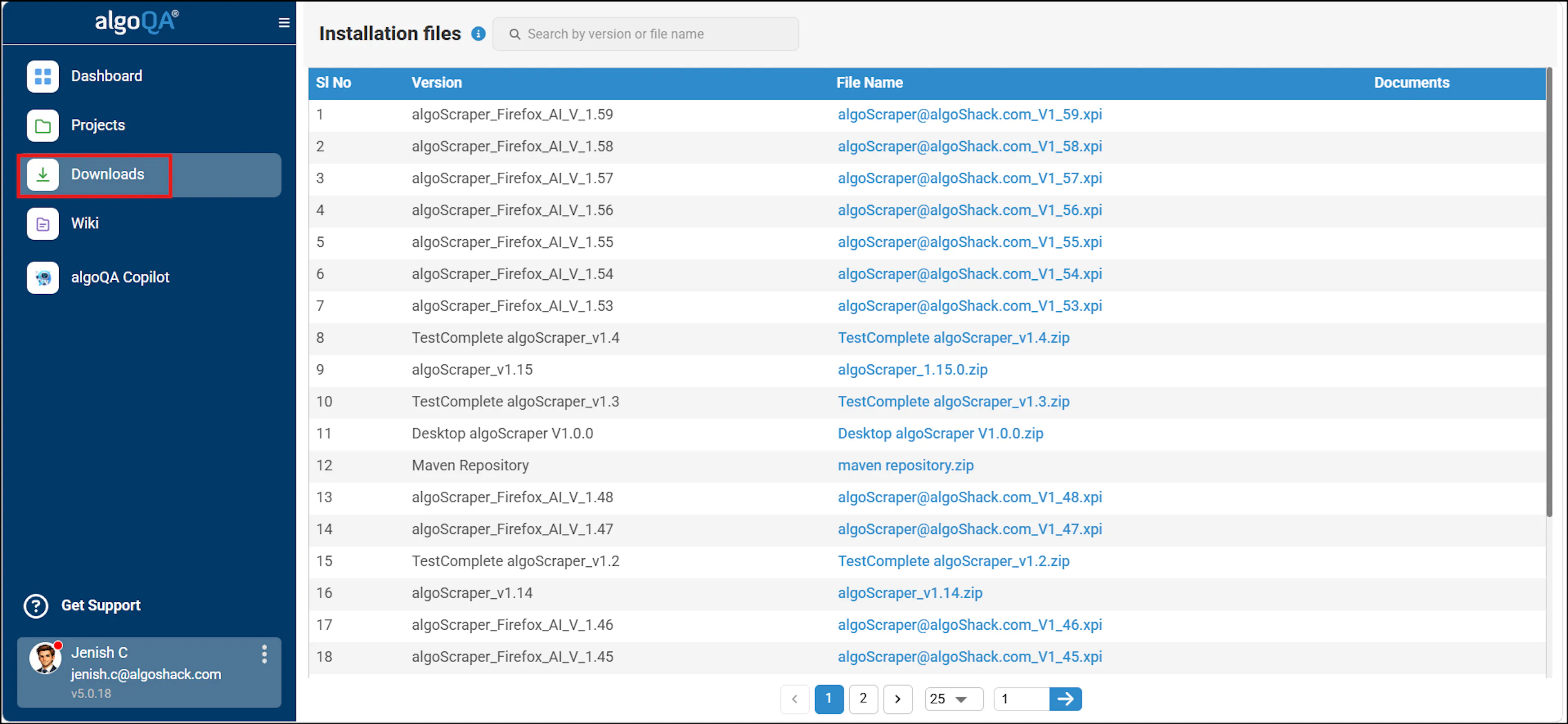
Available Downloads
The following tools are available for download from the algoQA platform:
algoScraper for Web
Browser extension for scraping UI elements and XPaths from web applications.
algoScraper for Desktop
Desktop tool for scraping UI elements from non-web (desktop) applications.
algoScraper for Mobile
Electron-based scraper for capturing UI elements from Android and iOS mobile apps.
algoReportExe
Executable for generating and attaching module-wise test execution reports to emails.
Maven
Build automation tool for managing project dependencies and running generated test scripts.
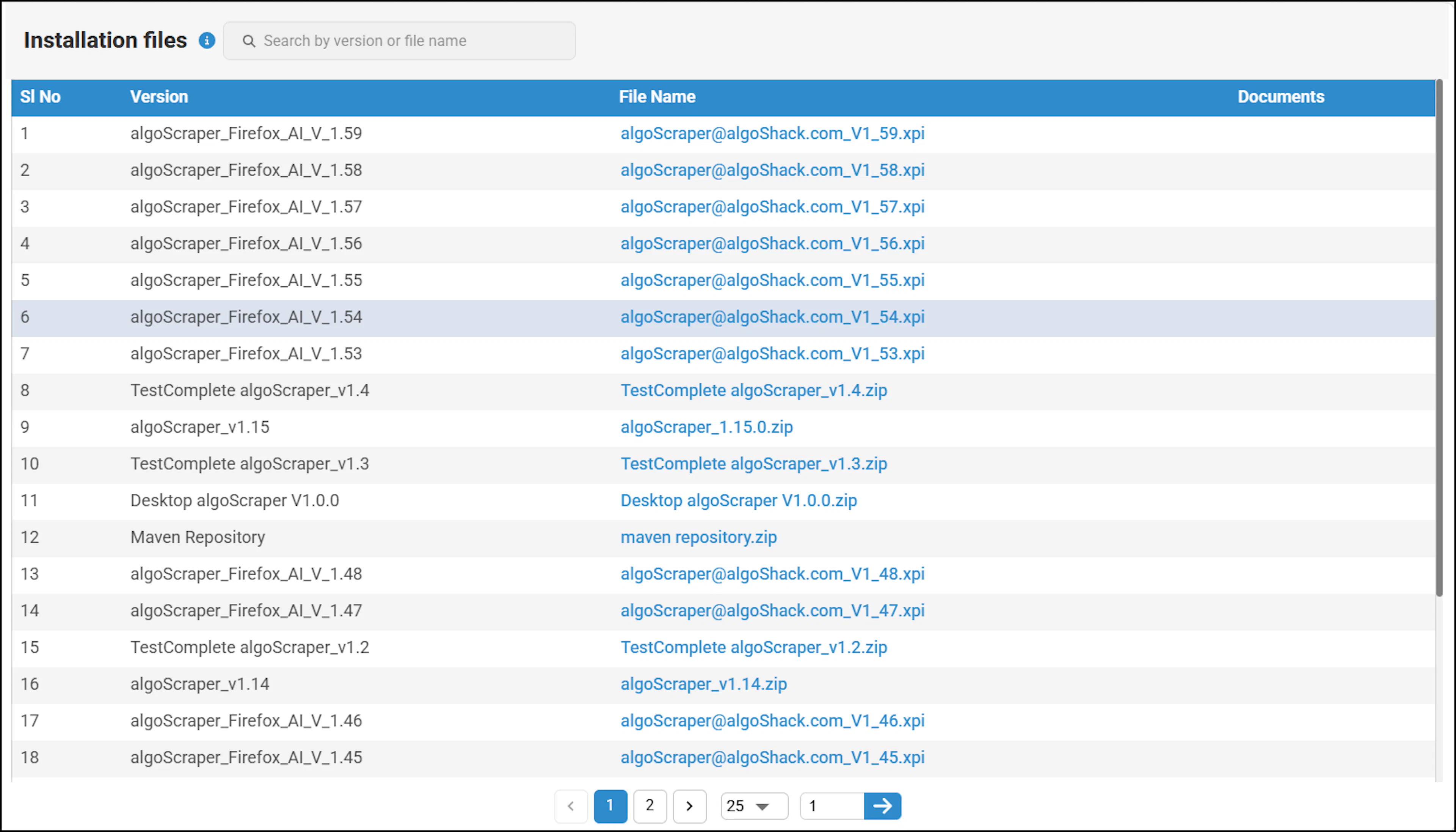
How to Download Files
Downloading a file is straightforward:
- Click the on File in the File Name column to save the file to your system.
- Use the search field to quickly find a specific file if the list is long.
Each file is listed with its version number. Always check that you are downloading the latest version before installing. If you need help installing a specific tool, refer to the related installation guide in the documentation.