
How to Log Out of algoQA Platform
Logging out of algoQA is a simple but important security step, especially when working on shared or public computers. Ending your session prevents unauthorized access to your projects, test data, and account settings. This guide shows you how to log out and what to watch for before you do
How to Log Out
Follow these steps to end your algoQA session:
- Click your Profile Name or picture in the bottom-left corner of the algoQA platform. A pop-up menu appears.
- Select Log Out from the pop-up menu. Here you can also view the current version of algoQA.
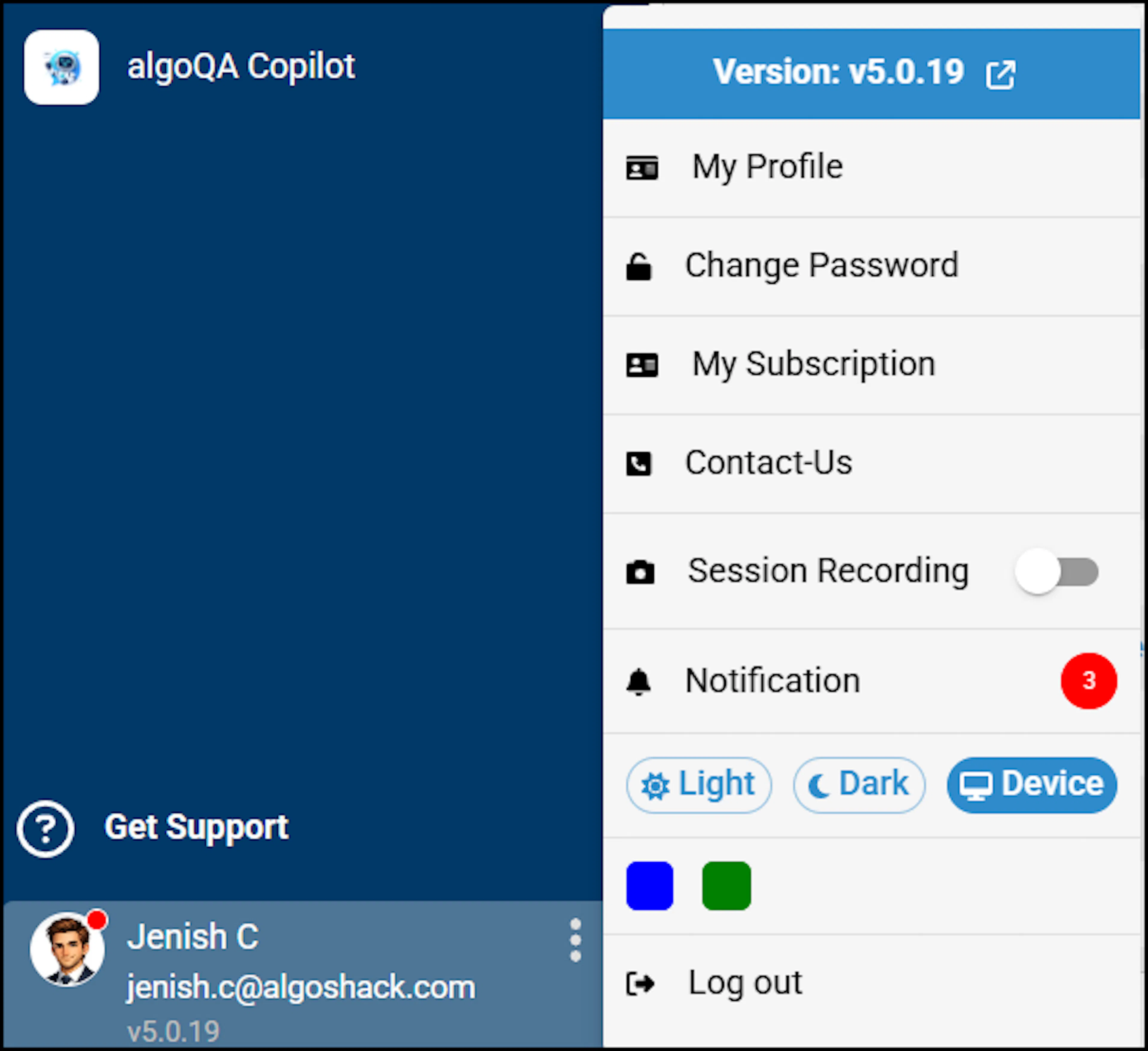
Profile dropdown menu showing Change Password option and current algoQA version - A confirmation message appears in the upper-right corner of the screen, indicating that you have successfully logged out of the algoQA Platform.
If you try to navigate away from an unsaved screen before logging out, a warning pop-up will appear prompting you to save your changes. Always save your work before logging out to avoid losing unsaved data.
Was this page helpful?