WebDriver Path Configuration for Java and C# Selenium Frameworks
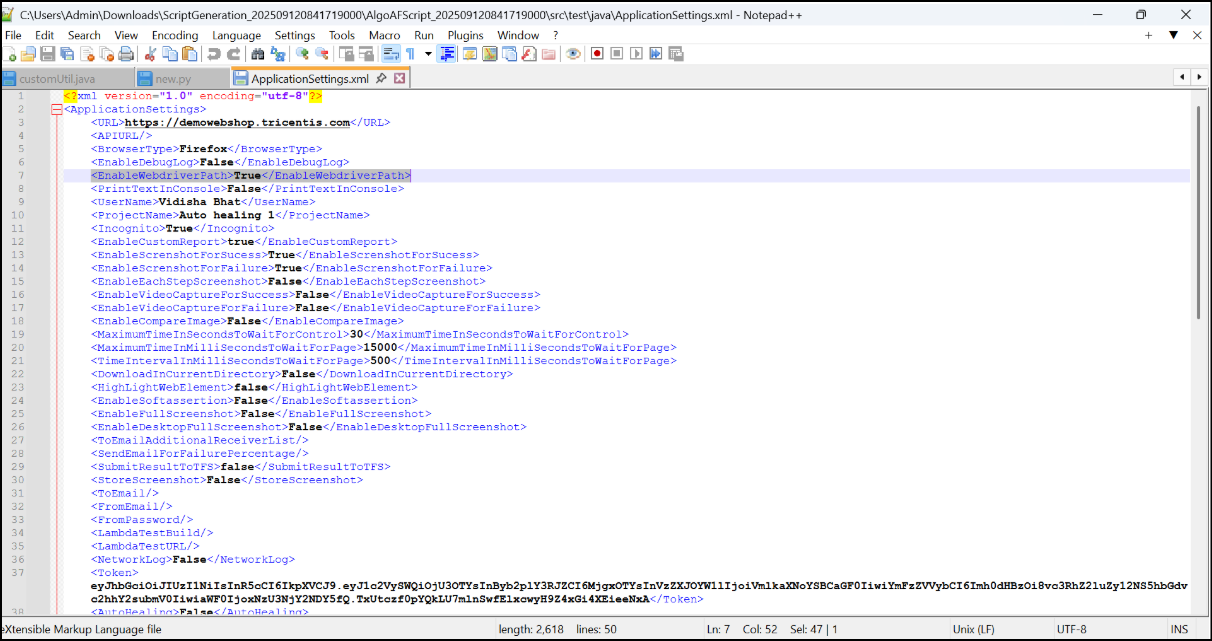
To improve automation efficiency and reduce script size, the Selenium framework (Java and C#) has been enhanced by removing hardcoded WebDriver paths. Instead, a new configuration option has been introduced in the application Settings file.
What's Changed
Old Setting (Deprecated): <WebdriverPath>Na</WebdriverPath>
New Setting: <EnableWebdriverPath>True</EnableWebdriverPath>
The Webdrivers will not be available in script and the details will be mentioned in Readme file, In Application settings file <WebdriverPath>Na</WebdriverPath> is replaced with <EnableWebdriverPath>True</EnableWebdriverPath>
If this tag is set True, then users will have to provide the webdriver in the resources folder in scripts.
If the tag is set False, webdriver will be installed during execution.