
Enterprise Users
Access the full algoQA platform — Enterprise unlocks hybrid automation, impact-based testing, and single sign-on for organizations with six or more users.
The Enterprise model provides full-platform access for large-scale organizations with six or more users. Enterprise unlocks every capability algoQA offers — including hybrid automation, impact-based testing, and smart report analysis — along with single sign-on for organization-wide access. If your team is smaller, explore the Pro or Pro Lite subscription model.
Full Automation Suite
Access every automation type including web, mobile, desktop, API, and hybrid automation across all supported frameworks.
AI-Powered Testing
Leverage auto test case generation, deduplication, algoQA Copilot, impact-based testing, and smart report analysis.
Enterprise SSO
Enable single sign-on for seamless organization-wide access. New users are automatically provisioned without manual registration.
Enterprise users receive 100,000 AI credits per month, unlimited generated test cases, up to 1,000 test script executions, and support for 6+ user accounts. For a full comparison of features across all subscription tiers, see Key Capabilities of Subscription Models.
How to Register as an Enterprise User
Enterprise users can register on the algoQA Platform using the Contact Sales button on the Pricing page. Follow these steps:
- Enter the URL algoshack.com into the browser address bar.
- Click the Pricing button in the navigation bar.

algoshack.com navigation bar with URL field and Pricing menu item highlighted - The Pricing page appears. Click the Contact Sales button to subscribe as an Enterprise user. For more information, visit the Pricing page.
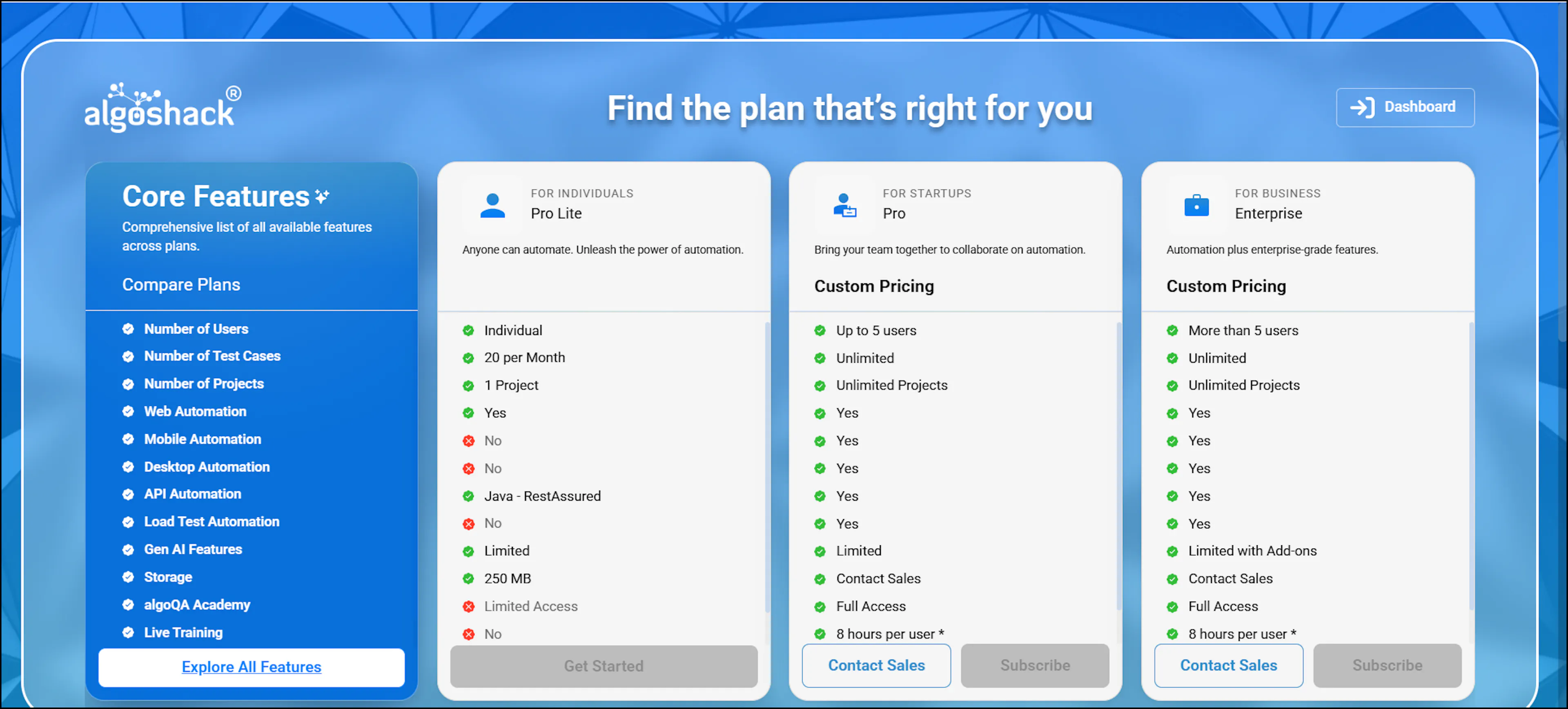
Pricing page with subscription plan options and Contact Sales button highlighted - A Contact Sales pop-up appears. Enter your full name, email address, mobile number, organization name, and job title, select the required automation types, and click Submit.
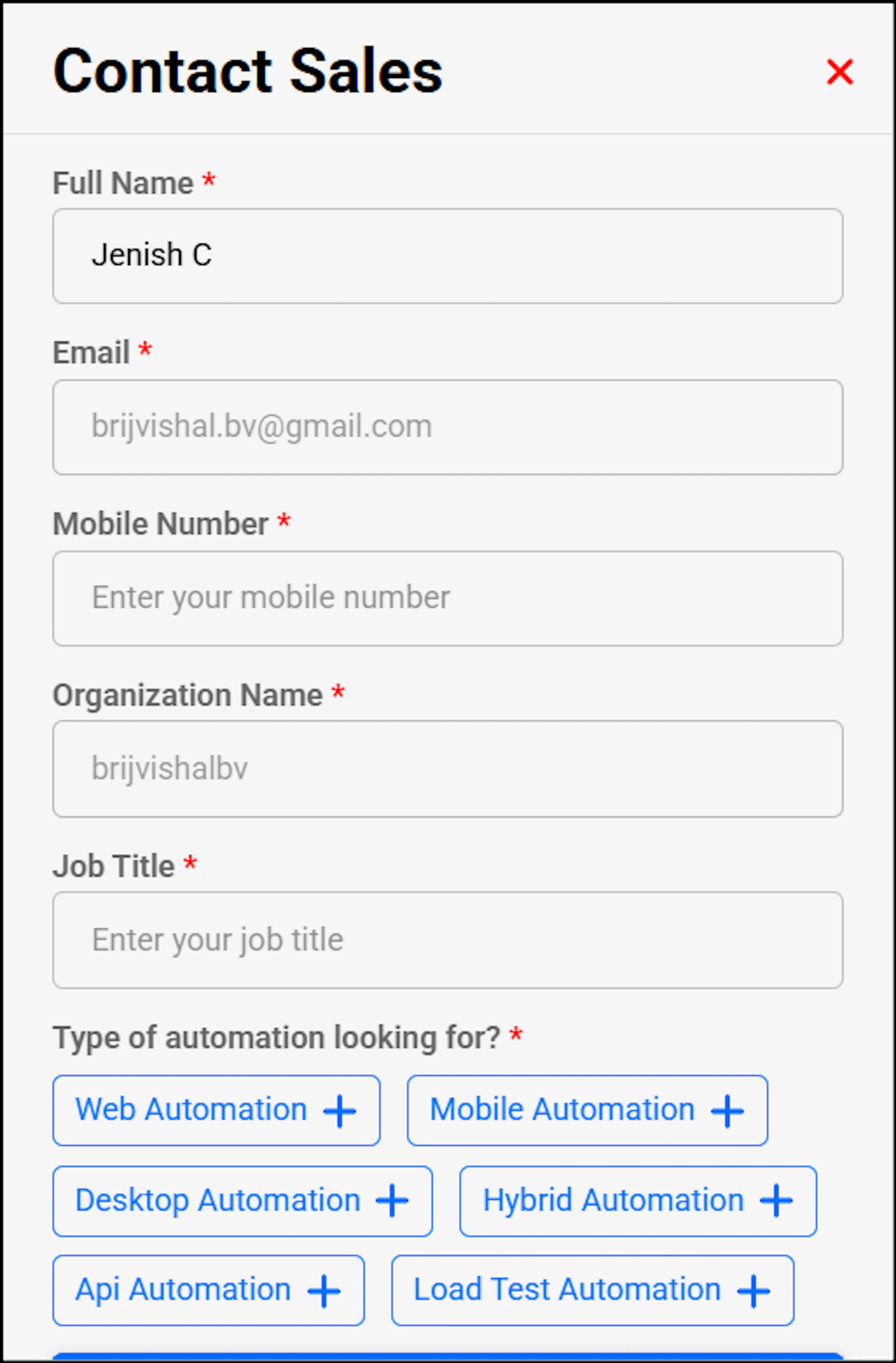
Contact Sales pop-up form with name, email, mobile, organization, and job title fields - The sales team will contact you to discuss and finalize your subscription.
- You will receive an email at the registered email address stating that your account is being processed, followed by a confirmation email.
- You can sign in with your credentials once you receive the confirmation email.
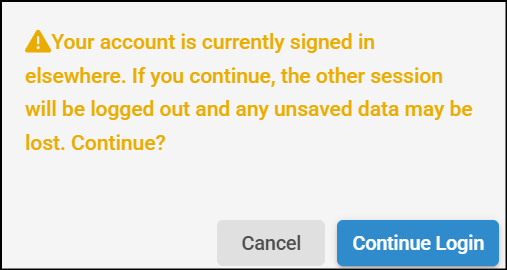
If the same account is used on a different device, a pop-up notification appears indicating that an active session already exists. You will be prompted to confirm whether you want to continue. If you choose to continue, the new session is activated and the previous session is logged out automatically. A notification email is then sent to the registered email address with the login details, prompting you to review the activity if it was not initiated by you.
Enterprise subscribers get dedicated support, custom integrations, and access to the complete AlgoShack automation suite. Contact your account manager for onboarding assistance.
Next Steps
- Key Capabilities of Subscription Models — Compare features across all subscription tiers
- Pro Users — Learn about the Pro subscription model
- Pro Lite Users — Learn about the Pro Lite free tier
- Logging Into algoQA Platform — Sign in and manage your password
- Creating a Project — Set up your first test automation project
- Kick-Start Your Automation Journey — A guided walkthrough of your first project
- Dashboard — View execution results and usage insights