
Behavior-Driven Development (BDD) Compliant Feature Files
The algoQA platform adheres to the behavior-driven development (BDD) framework for generating Feature Files. These files are text documents used to describe specific functionalities of your application that require testing, written in the Gherkin-based language. Test cases are generated in English, similar to the Gherkin language. Gherkin's plain-text format allows users to describe an application's behavior by outlining scenarios and steps in a language that's easy to understand.
Understanding Feature Files Generated in the Gherkin-Based Language
In the algoQA platform-generated Feature File, it is important to understand the Gherkin syntax, which is the language used for describing an application’s behavior in plain English.
Gherkin has a simple syntax that includes the following key elements:
| Element | Description |
|---|---|
| Feature | Describes the overall feature that is being tested. |
| Scenario Name | Describes a specific situation or test case within the feature. |
| Test case tags | Allows tagging of scenarios to group them based on their purpose or functionality. |
| Scenario Outline | Provides a brief test case summary or description as an outline given during recording of the scenario using Offline Recorder. |
| Given | Describes the initial state of the user for a given scenario. |
| When | Describes the action of the user or event that triggers the behavior being tested. |
| Then | Describes the expected outcome or result of the scenario. |
| And | Allows you to add additional Given, When, or Then statements to a scenario. |
| But | Allows you to add an exception or negative case to a scenario. |
| Examples | Allows you to define a set of inputs and expected outcomes in a tabular format. |
Example
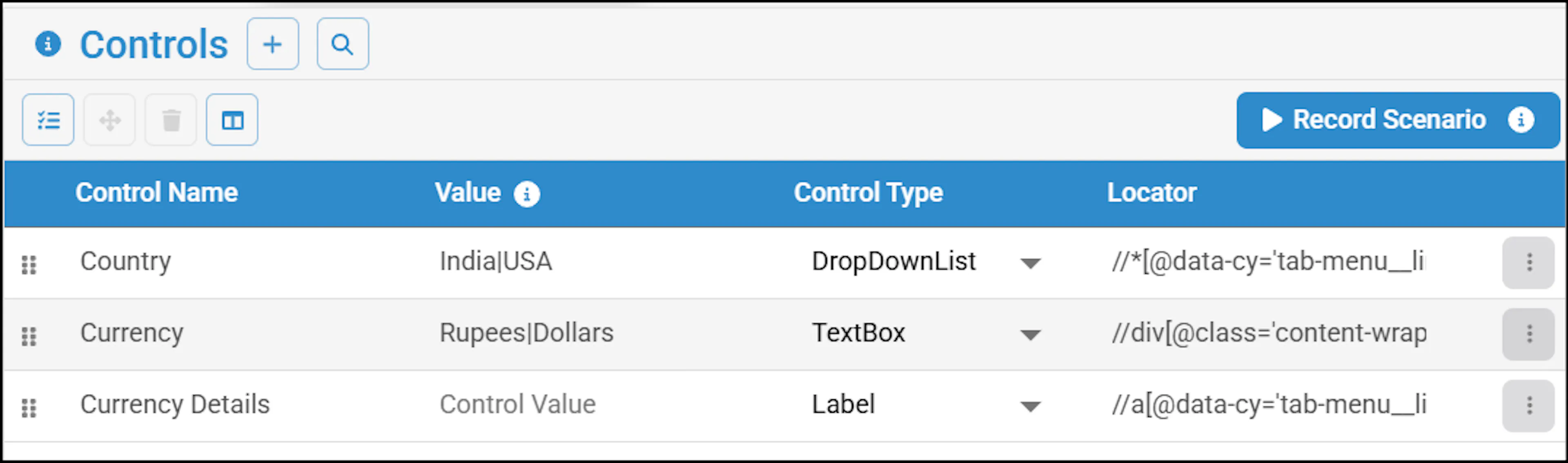
Consider a scenario where currency is to be verified for various countries. During profiling, configure the country and currency. This can be done in the Test Design screen by clicking it.
The algoQA-generated Feature File:

Best Practices for Creating Feature Files
To create feature files that effectively describe the behavior of your application and are easy to understand, follow these best practices:
- Use meaningful and descriptive feature names, scenario names, and scenario outlines. Use personas to describe scenarios and scenario outlines.
- Include multiple verification steps in each scenario to thoroughly test the behavior of the system. This ensures that the expected outcomes are met and helps identify any discrepancies or issues.
- Instead of using hardcoded wait times in your tests, consider using dynamic wait actions. This allows the tests to wait for elements to become available before performing actions.
- When verifying the state of elements on the page, use the "Verify content" action instead of the "Verify display" action.
- Use tags to organize and group scenarios for performing batch execution, which reduces execution time.