
Viewing Node Name and Associated Feature Name in the Object Repository
View the node name and the associated feature name in the Object Repository file.
Viewing Node Name and Feature Name in the Object Repository File
Perform the following:
- In the node configuration process, create the nodes and add the associated features along with UI Elements. Alternatively, you can upload the scraped file to automatically view the node placements on the Canvas.
- To view the node name and the associated feature name, click the Object Repository option to view the Object Repository screen. In the Feature Name column, you can view the corresponding node name along with the feature name.
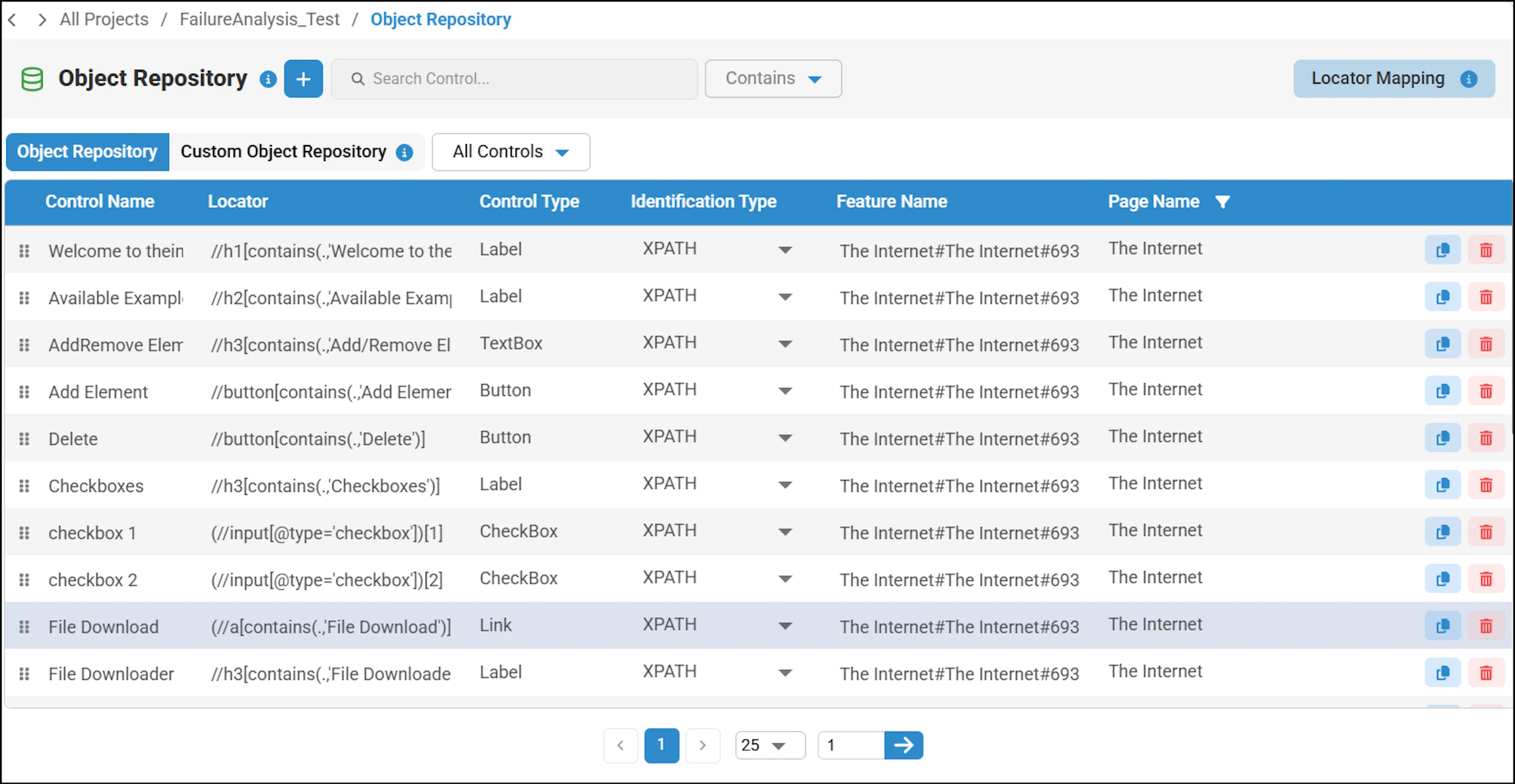
For an existing project, make sure you update the Configuration IDs option to view the feature name and the corresponding node name.
Was this page helpful?