Smart Notifications
Receive instant alerts for auto-healed scripts, inactive projects, merged steps, and optimized scenarios to keep your test automation workflow up to date.
When Do You Receive Notifications
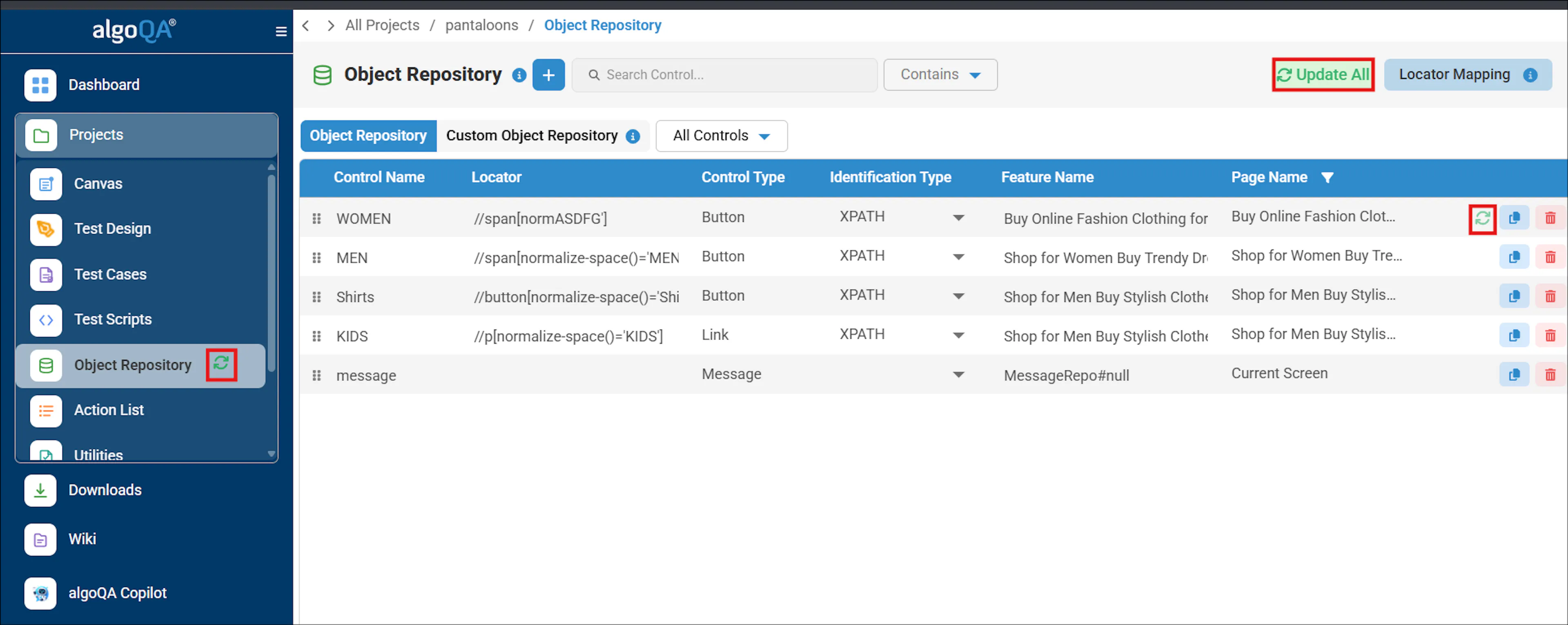
When a script is auto-healed, a notification is sent prompting you to update the locators in the Object Repository.
To know more, click here.
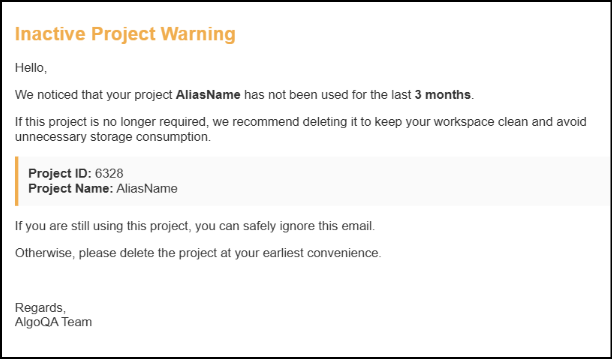
If a project has not been used for more than 3 months, the user will receive an email notification with the project details.
The email will suggest deleting the project to free up space if it is no longer required, or ignoring the message if the project is still in use.
Notifications in the Smart Notifications tab are retained for 30 days only.
Older notifications will be automatically removed.
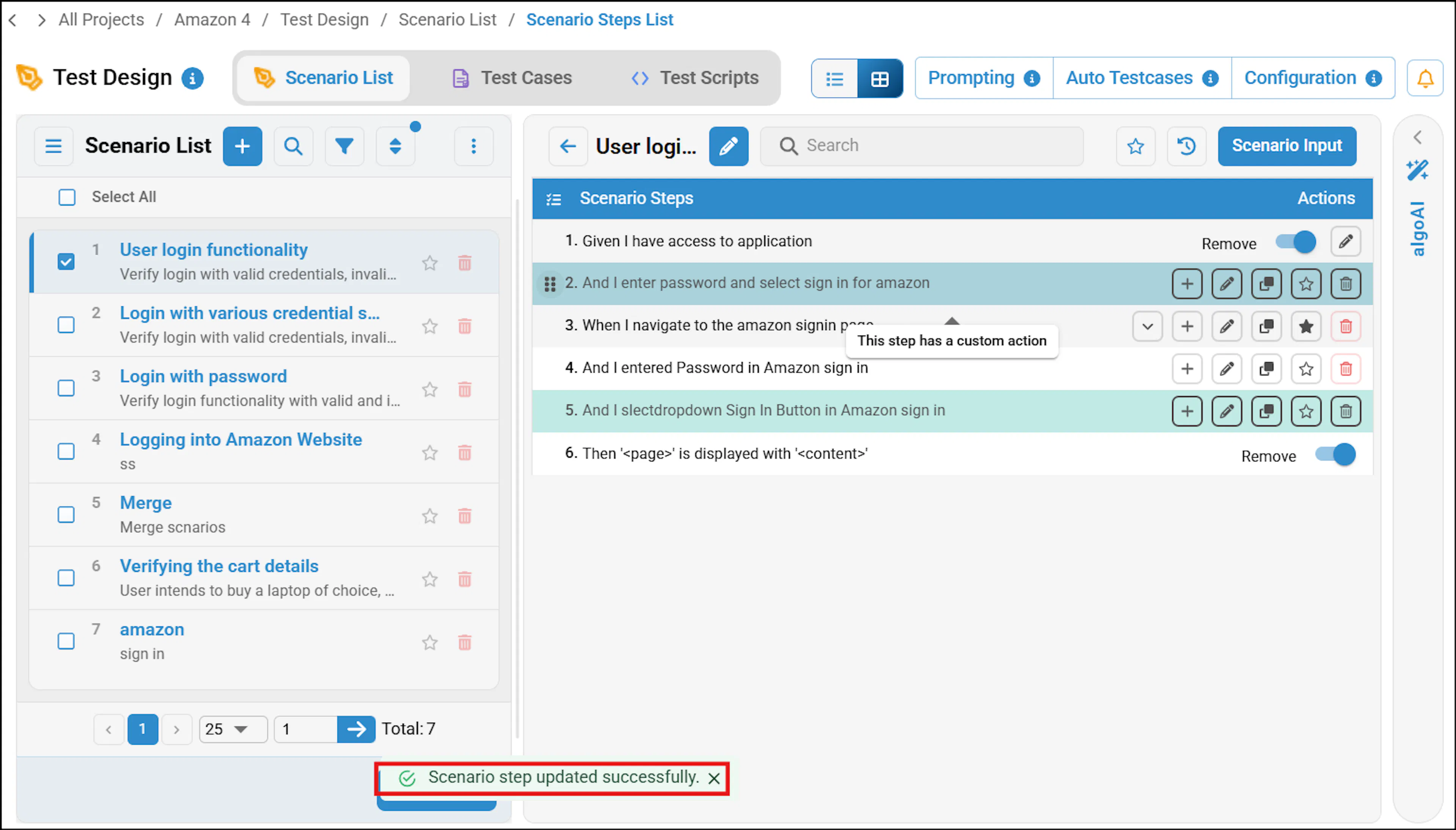
If you attempt to reorder merged steps within the scenario steps, a notification will appear indicating Scenario step updated successfully.
To know more, refer to Merge Multiple Steps to One.
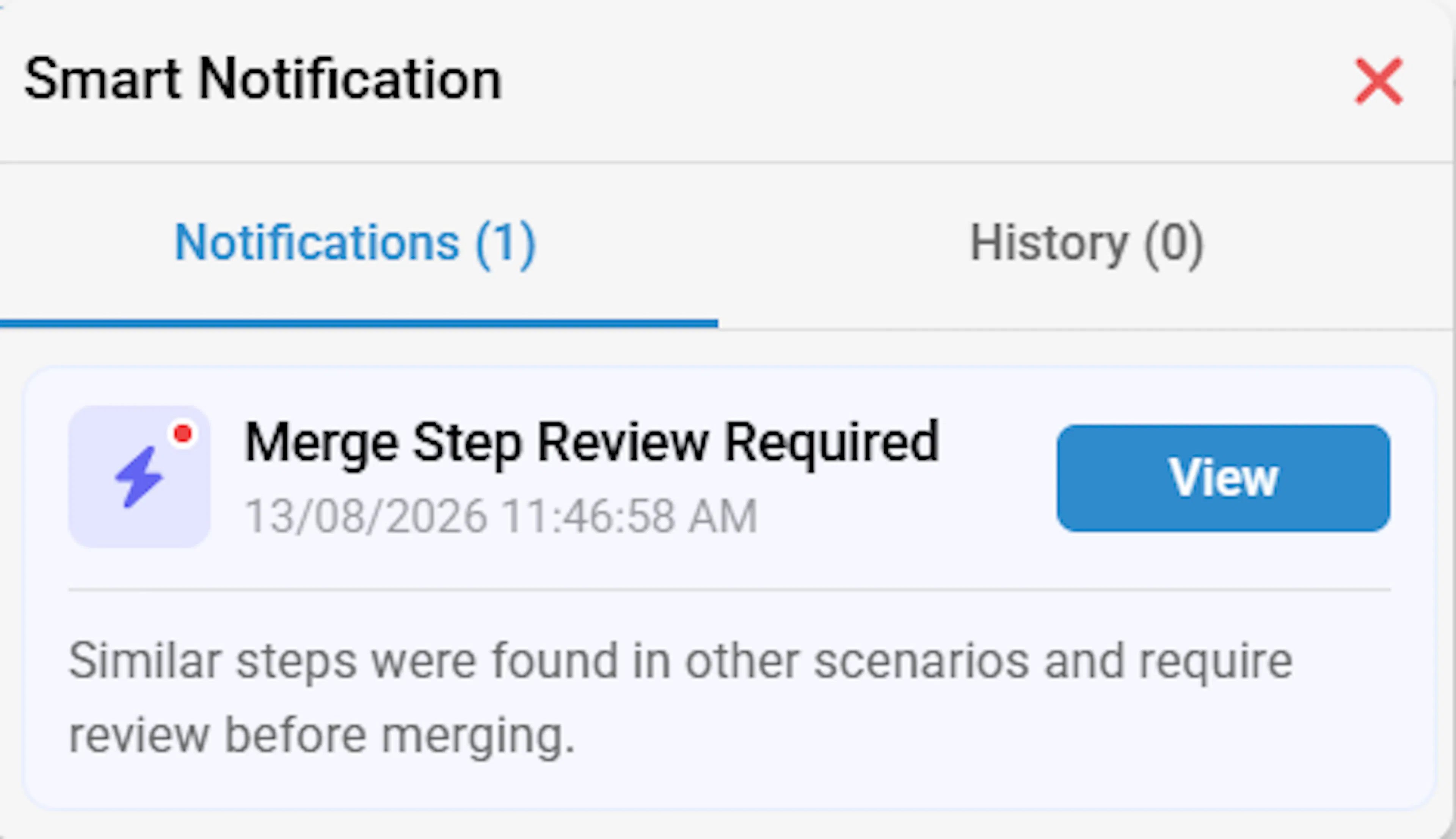
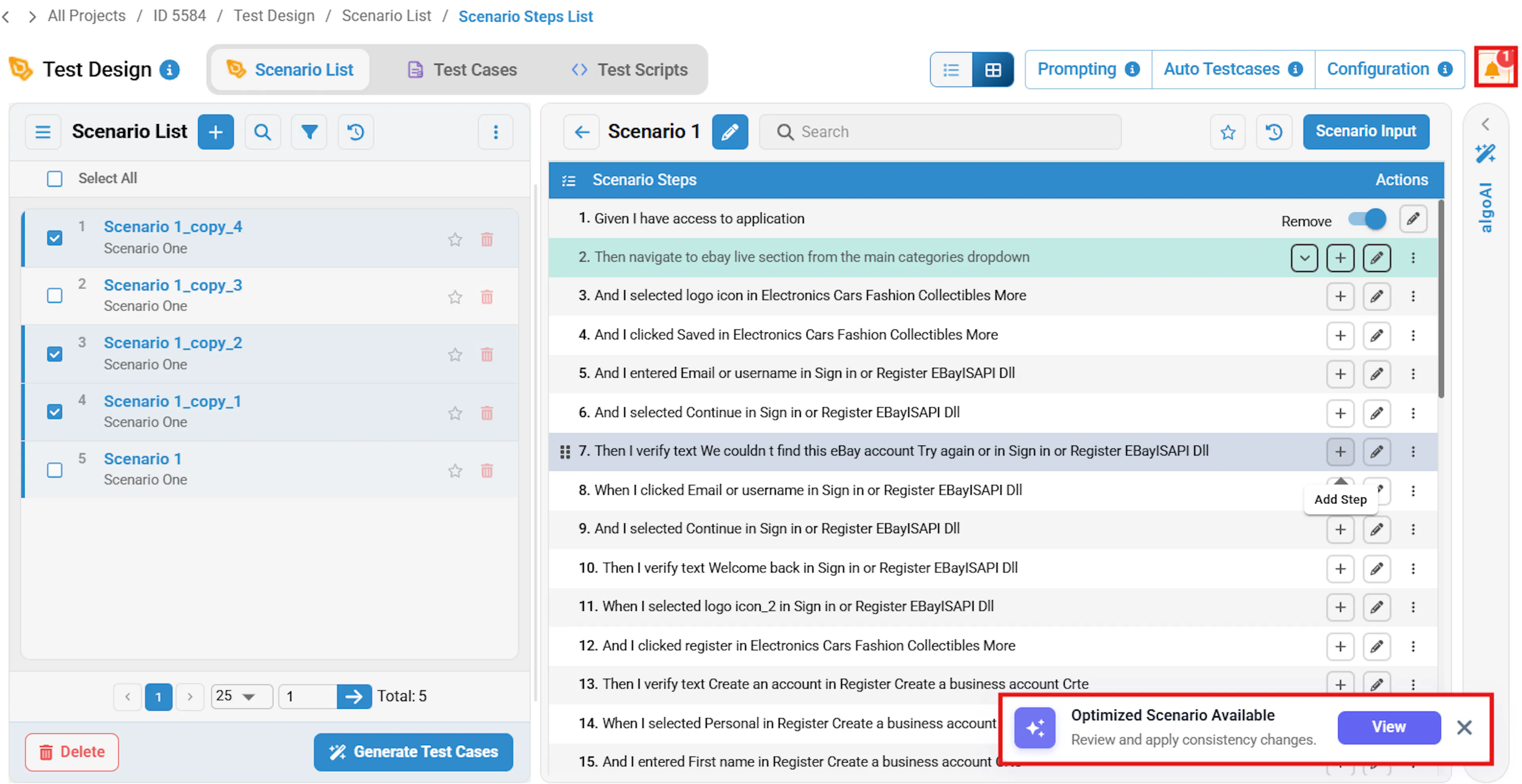
After merging a step, you receive a notification in the Smart Notifications tab and as a pop-up.
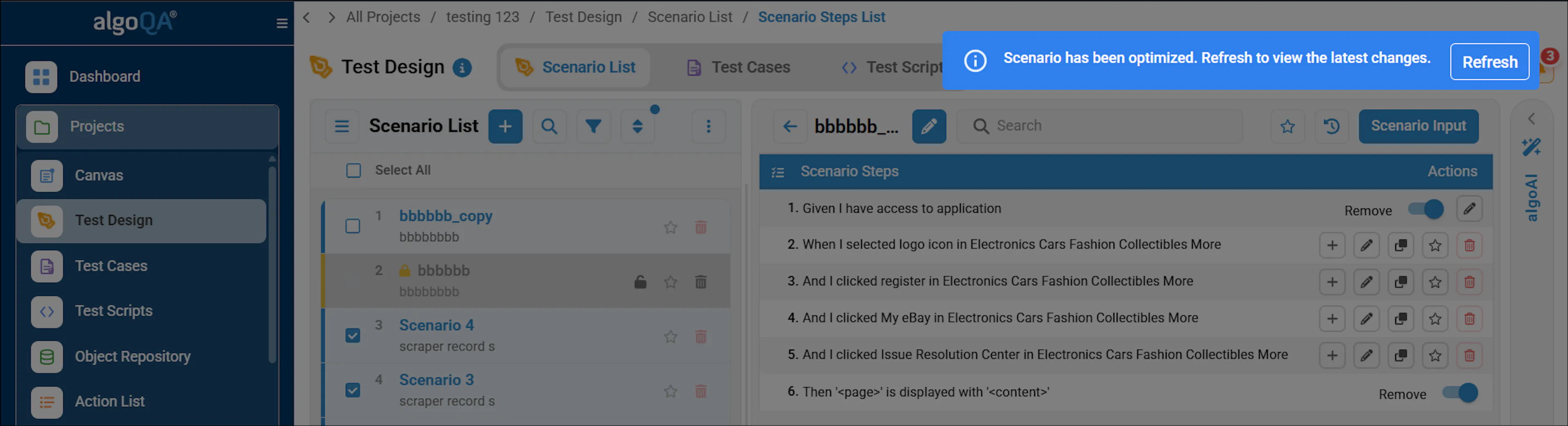
The notification indicates that an optimized scenario is available. You can view and optimize similar scenario steps across other scenarios. By optimizing, you can improve consistency and reduce redundant maintenance.
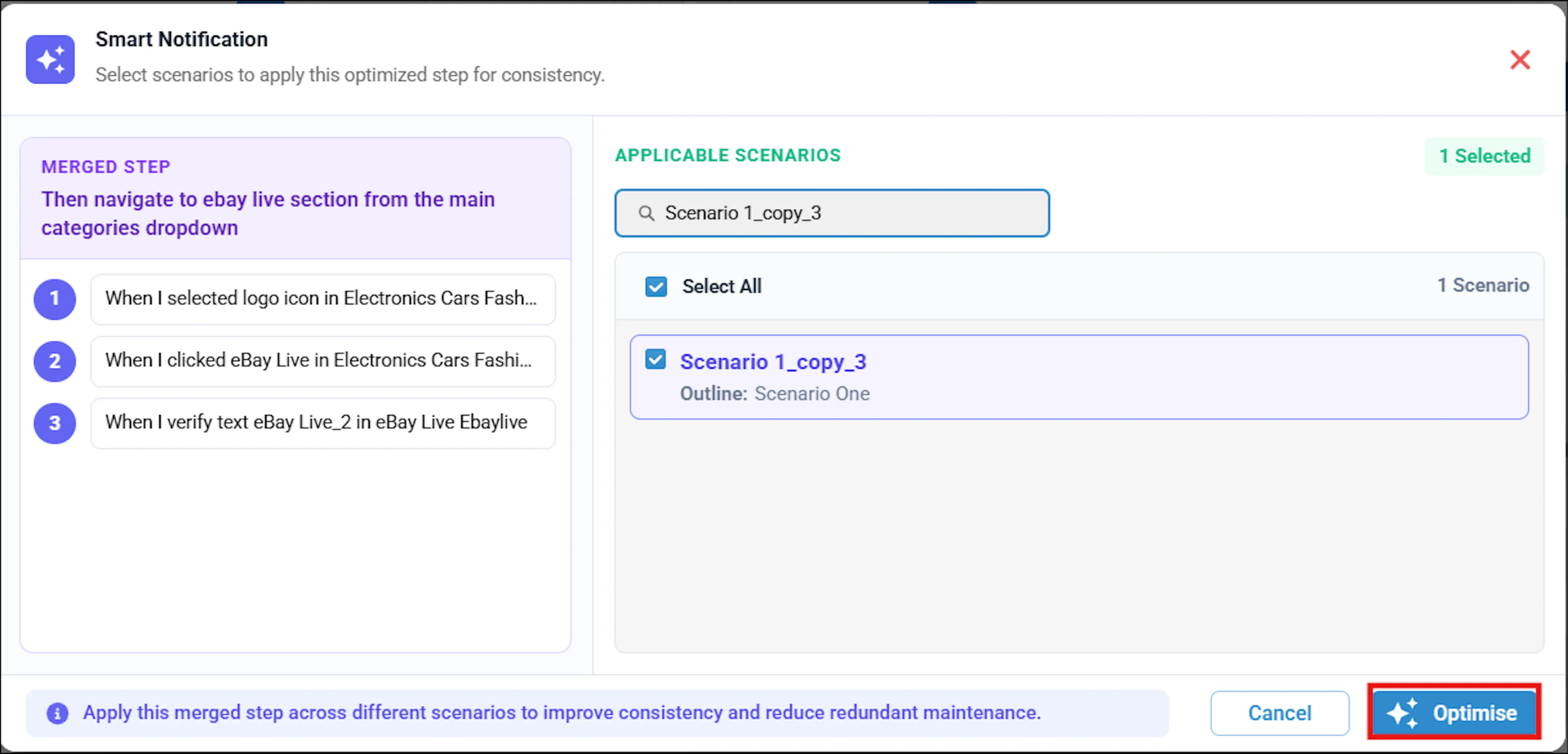
The scenarios will be optimized. Refresh to view the changes.