
Auto Test Case Generation
Creating test cases manually for every application flow can be time-consuming, repetitive, and difficult to maintain as projects grow. To simplify and accelerate the testing process, algoQA provides an Auto Test Case Generation feature that helps teams quickly generate structured test cases with minimal manual effort.
Generate test cases automatically from an existing configuration without creating each scenario manually.
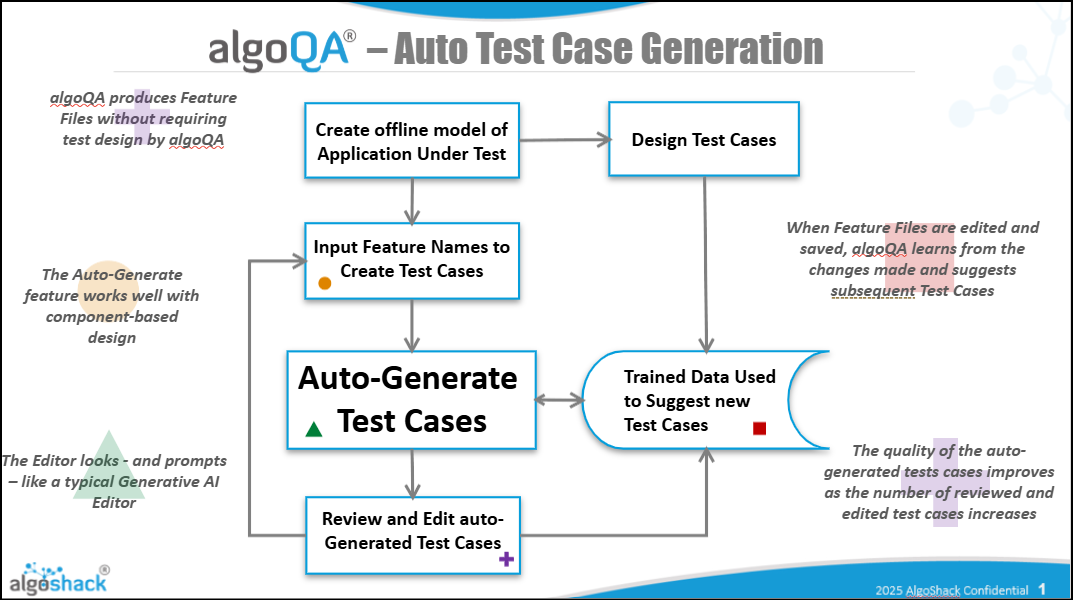
Generate Test Cases Using Auto Test Cases
-
First, create a project and configure it using either the Offline Recorder or the Online Recorder available in algoScraper.
-
Refer to the following articles for detailed steps:
- Record a Scenario Using Offline Recorder — Learn how to record a scenario using the Offline Recorder.
- Record a Scenario Using Online Recorder — Learn how to record a scenario using the Online Recorder.
-
The configuration consists of:
- Nodes
- Features
- Controls
-
These components are captured during the recording process using the Offline or Online Recorder. Once the configuration is created successfully, click on Auto Testcases to generate test cases automatically.
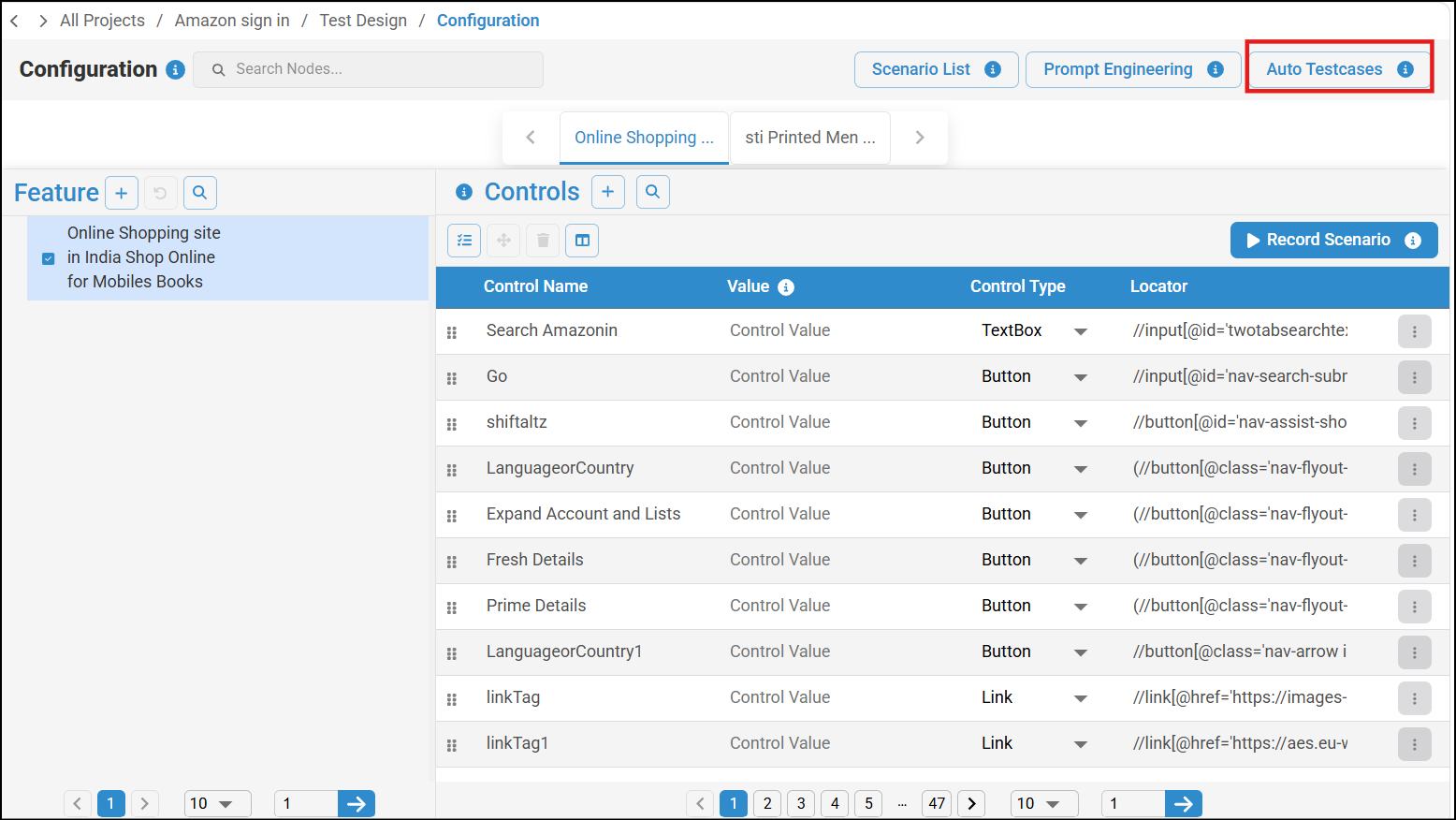
Configuration screen with Controls table and Auto Testcases tab highlighted -
Select the Node and Feature for which the test case needs to be generated, then click Proceed after making the selection.
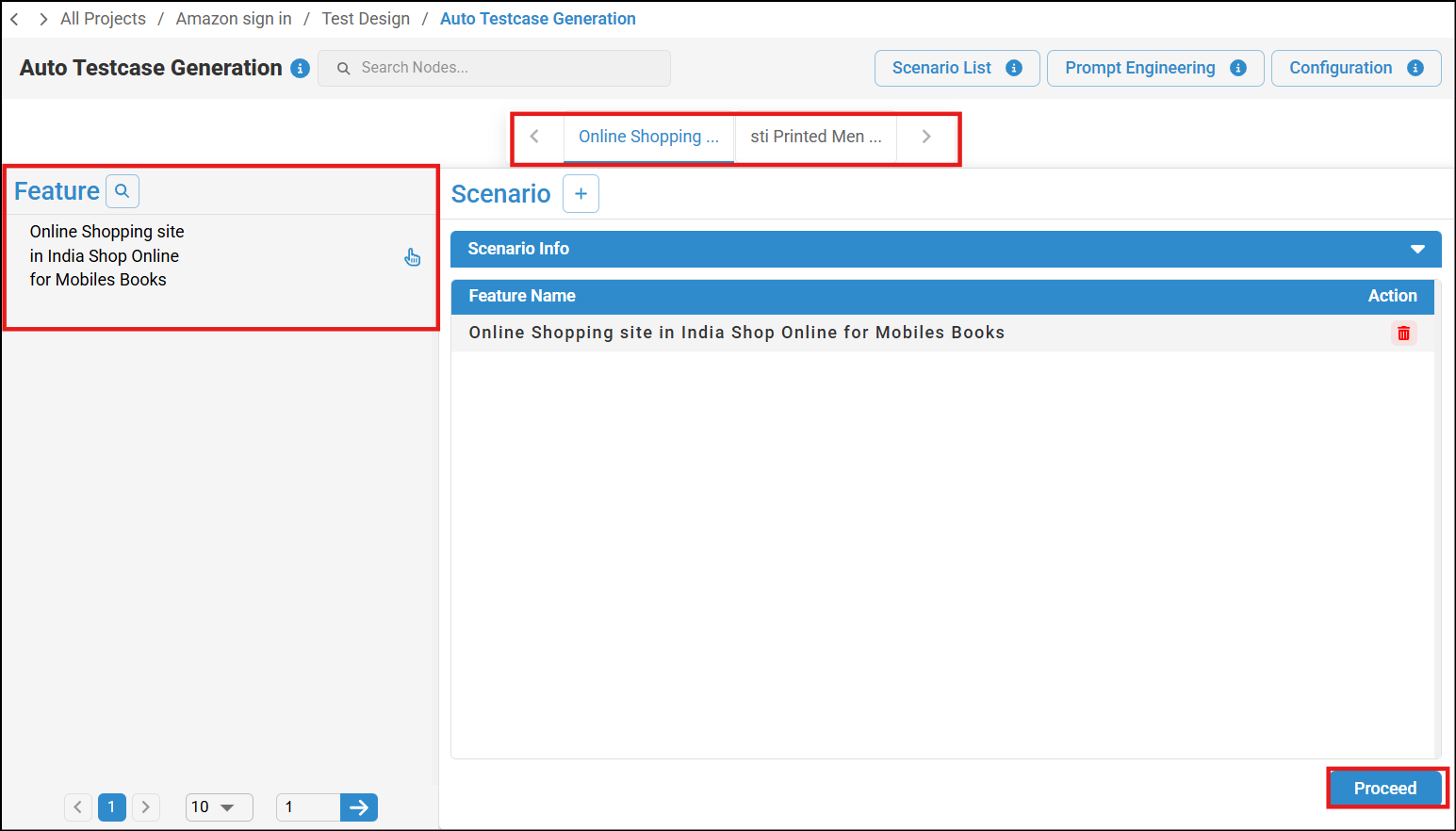
Auto Test Case Generation screen with Feature panel and Proceed button highlighted -
You can view the scenario name and click Generate to generate the scenario.
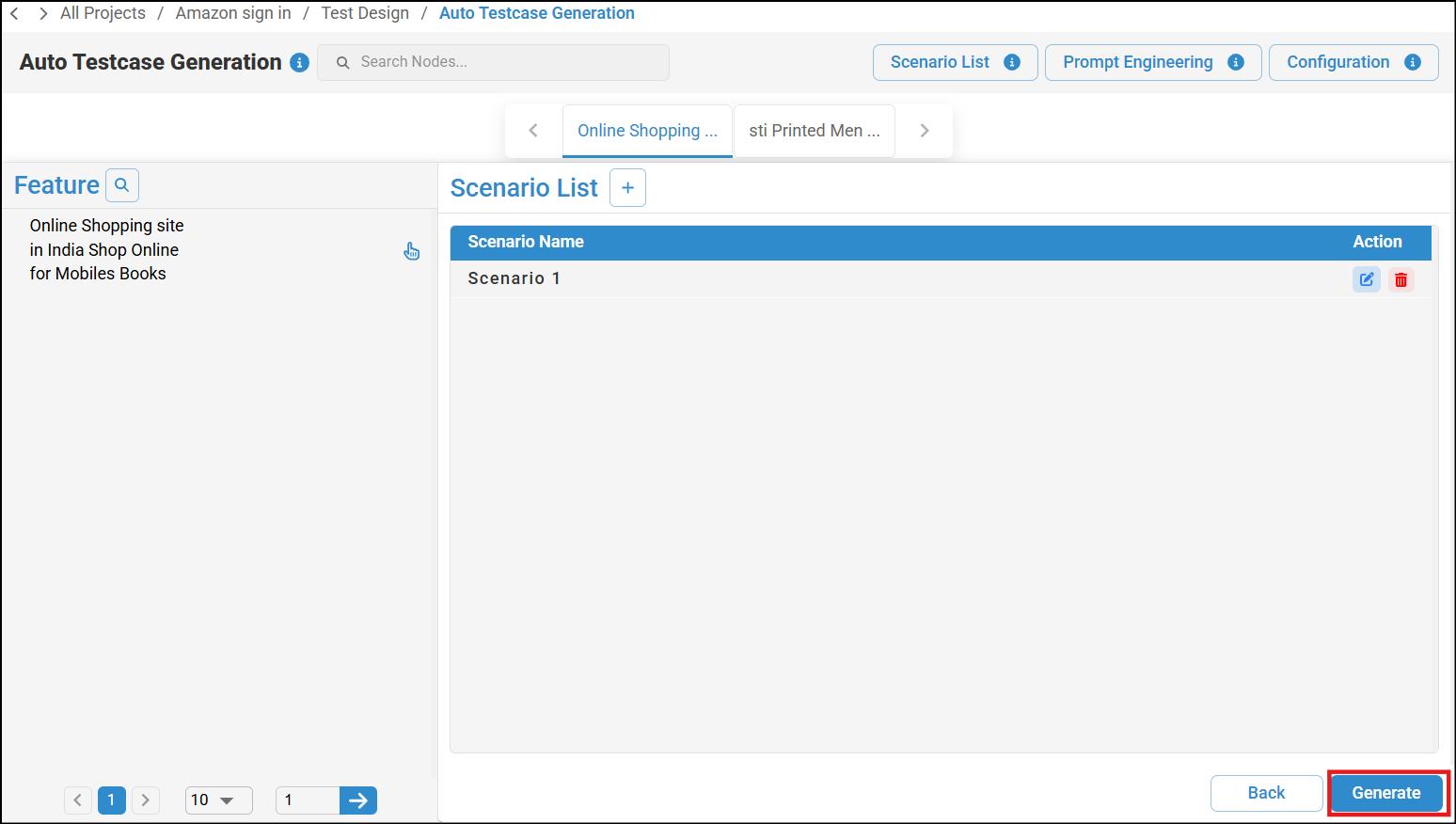
Auto Test Case Generation page with Scenario List showing Scenario 1 and highlighted Generate button If the scenario outline is already used in another scenario, a notification pop-up appears indicating that the scenario outline is already in use. Edit the scenario outline to a unique value and generate again.
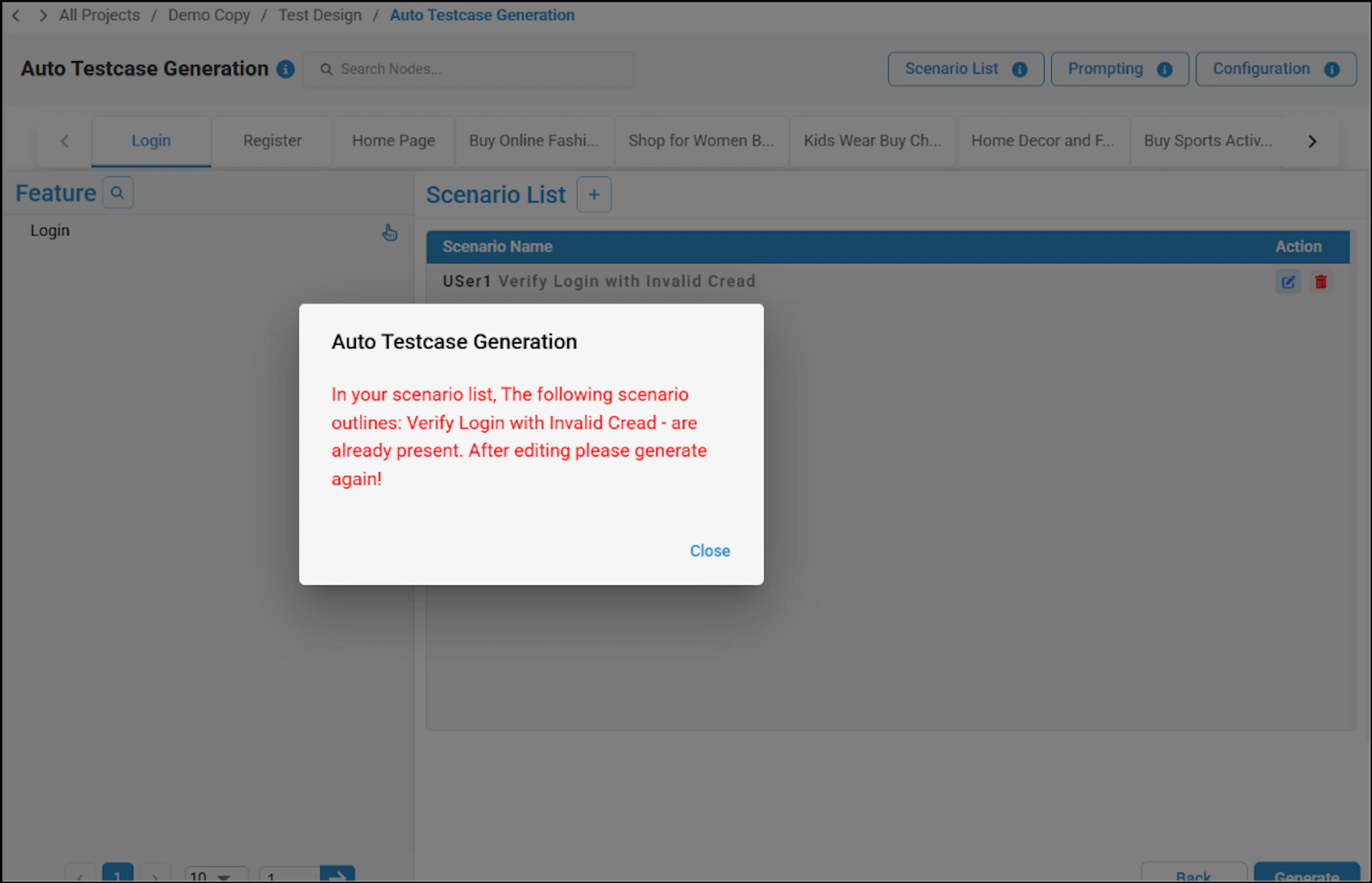
Duplicate scenario outline notification in Auto Test Case Generation -
Once the scenario is generated successfully, click on View Scenarios and you can review and modify the scenario and scenario step list if required. To learn more, refer to Managing Test Cases Using Test Design Feature.
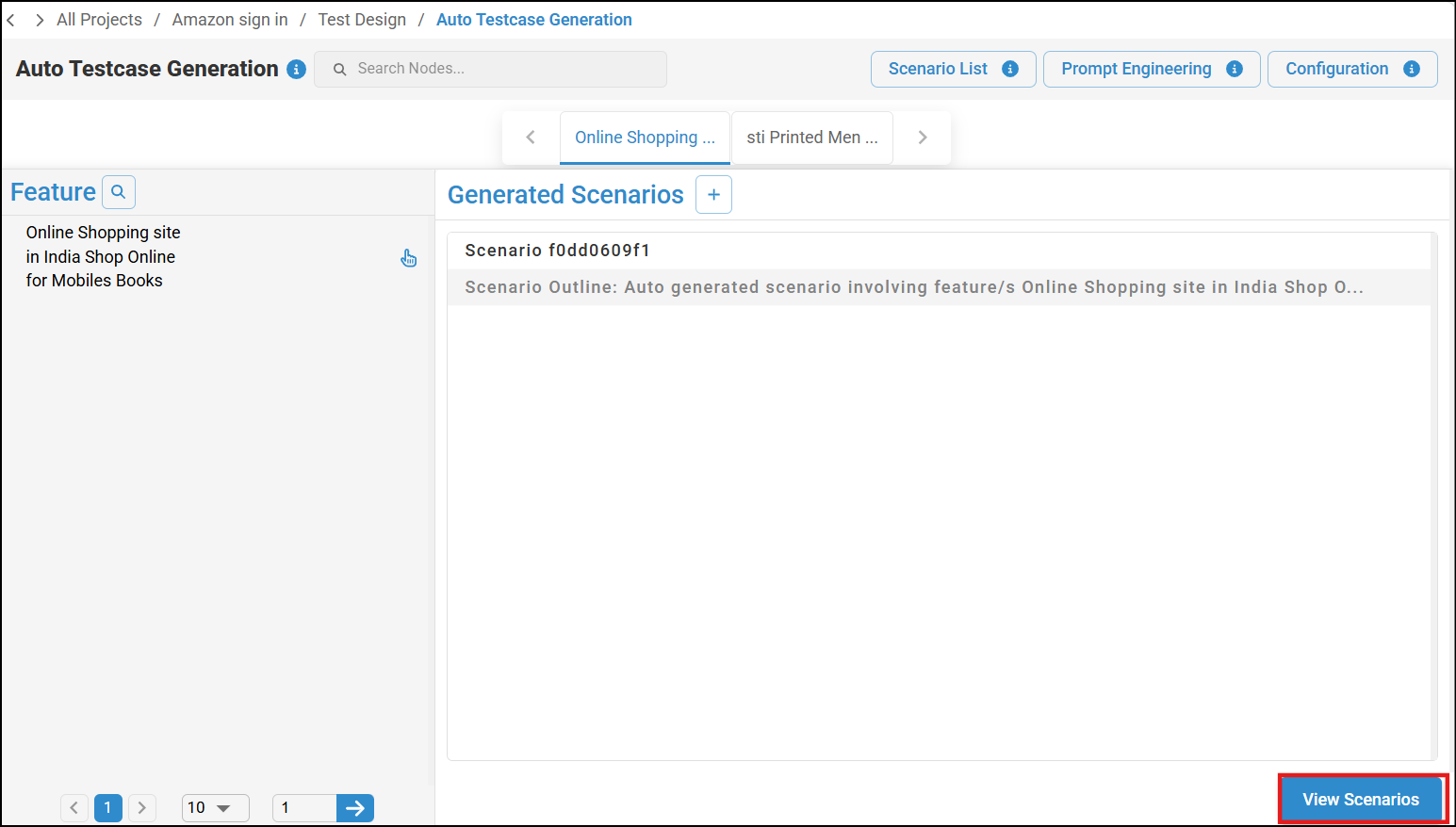
Auto Test Case Generation page with Generated Scenarios list and View Scenarios button highlighted -
After reviewing the scenarios, click Generate Test Case to generate the test cases.
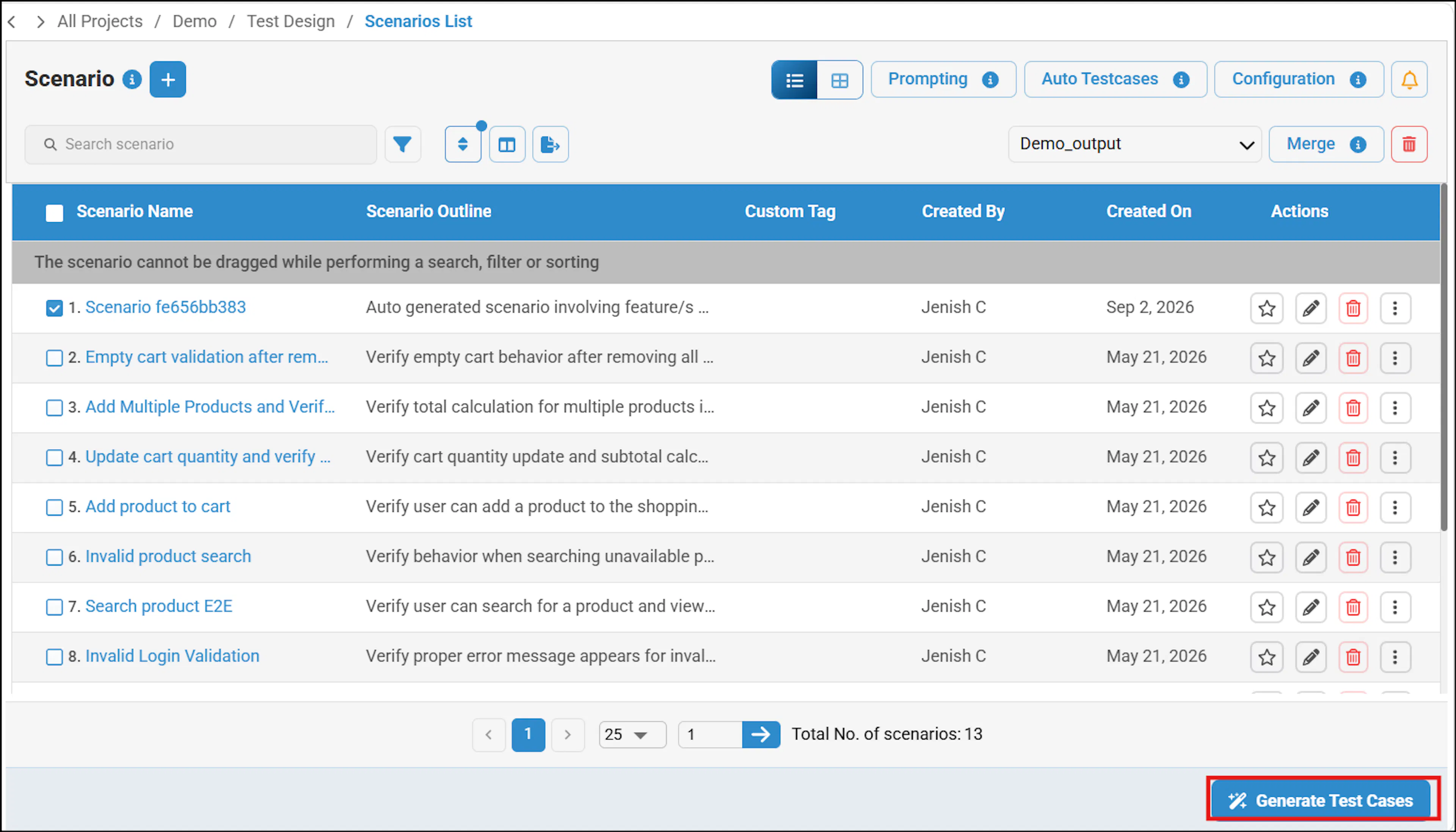
Test Design screen with the Generate TestCase button highlighted -
The test cases will be generated. You can view the test cases and generate test scripts. For more details, refer to Generate Test Cases and Test Scripts.
Advantages For QA teams
| Feature | Benefit |
|---|---|
| Automatic generation | Saves time and effort |
| Standardized structure | Improves consistency |
| Better coverage | Reduces missed scenarios |
| Scalable testing | Handles large applications efficiently |
| Easy customization | Flexible for different project needs |
| Faster releases | Accelerates testing cycles |