
Using Multiple XPath Expressions for Each UI Element in a Web Scraper Extension Tool
Implementing multiple XPath expressions for each UI element in a web scraper extension tool helps prevent test case failures. If one XPath expression fails to find the location of a UI element, having multiple XPath expressions allows the tool to try alternative XPaths, ensuring the locations of UI elements can still be extracted successfully. It also reduces the need for manual intervention to update the scraped file.
Using Multiple XPaths
Prerequisite
The algoScraper tool, available as a browser extension, serves the purpose of capturing all User Interface (UI) elements and XPaths present on a web page. To integrate this tool into your Chrome or Edge browser, click here.
Perform the following:
- Navigate to the application you wish to scrape. Click the algoScraper extension.
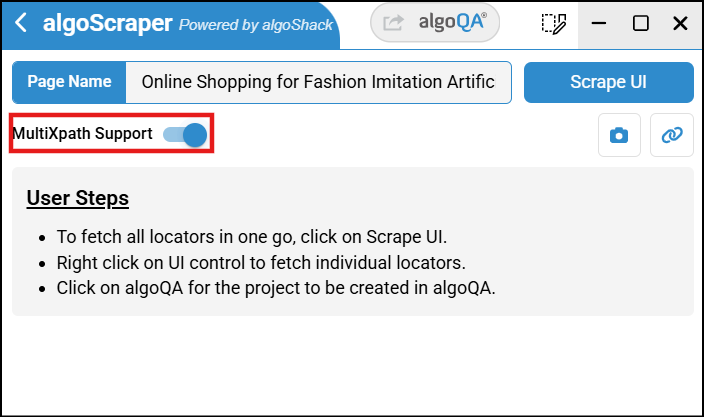
- The scraper tool window appears. In this window, select the MultiXPath Support toggle button.
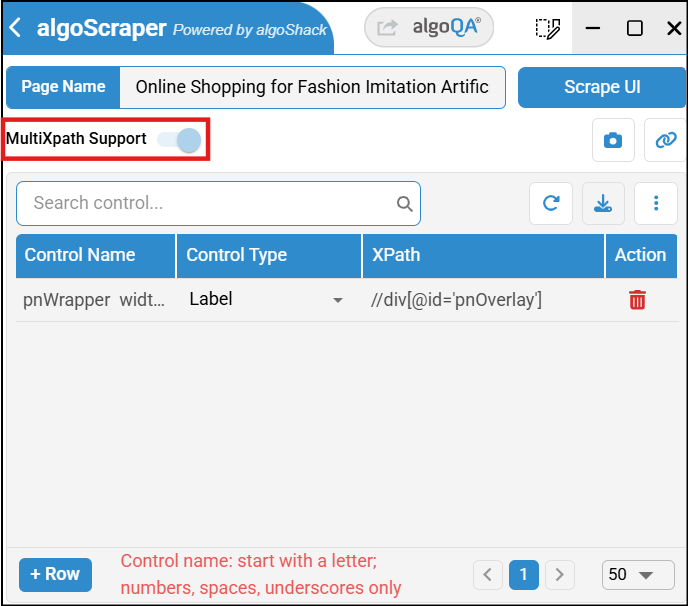
- While scraping, multiple XPaths will be captured in the XPath column.
Was this page helpful?