
Feature File to Script Conversion
If you already have test cases that were not produced by algoQA, you can convert them into scripts that work with the new testing platform. This allows you to migrate test cases from one framework (such as Protractor) to another (like WebDriverIO).
This capability is built into the algoScraper extension. To use it, simply open the algoScraper extension from your browser toolbar.
This feature is especially useful during manual testing, where you can take existing test cases and automatically generate scripts from them.
Feature File to Script Conversion
Perform the following:
Prepare a handwritten feature file in BDD format.
Launch the Scraper from the Create Project page or you can directly launch from your web extensions.
To learn more about how to launch the scraper from algoQA, click here.
Click the Feature File to Script Converter option.
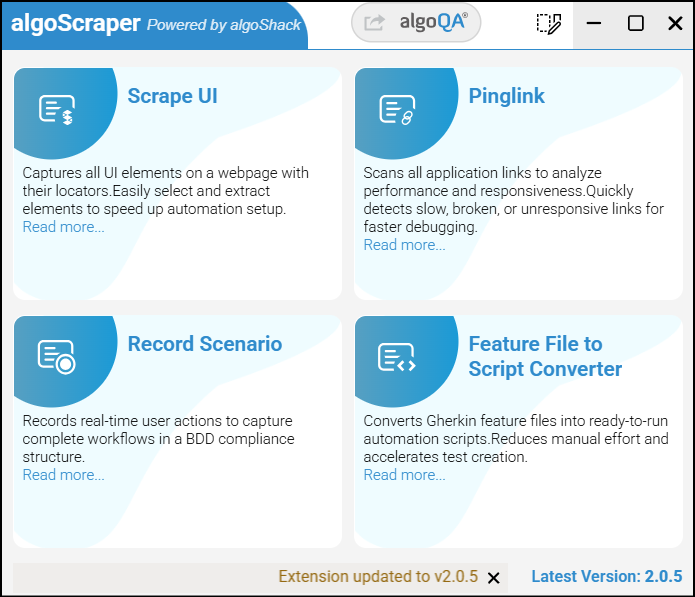
Browse and upload the handwritten feature file in .txt format.
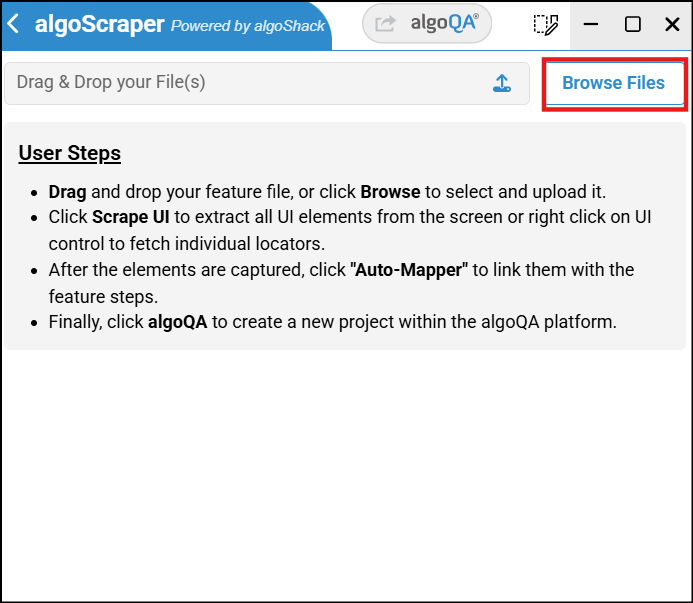
You can also add multiple feature files by clicking the '+' icon.
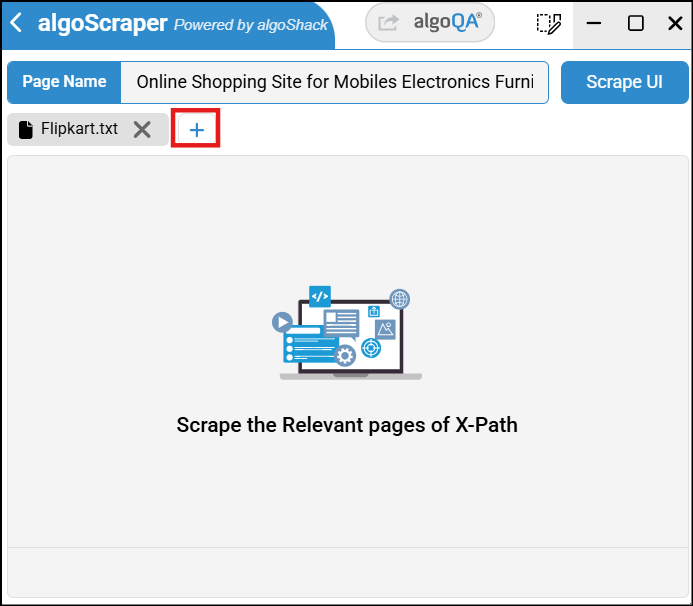
Scrape the individual UI elements referenced in the feature file.
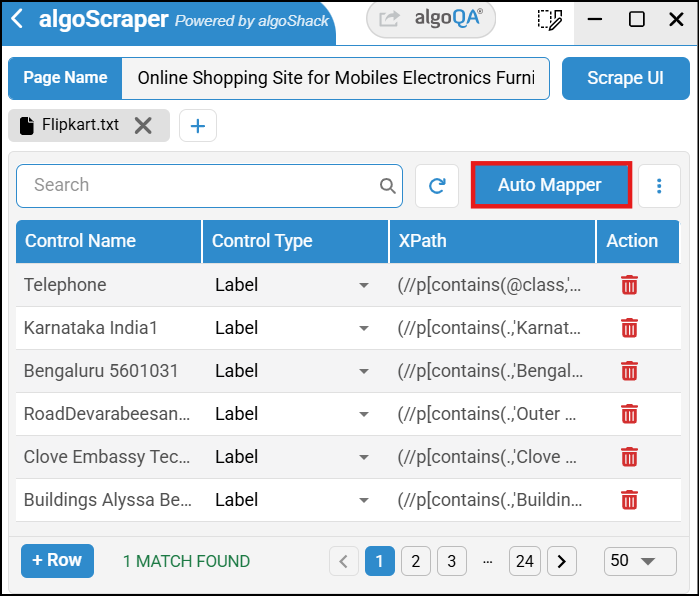
After scraping all the UI elements, click Auto Mapper.
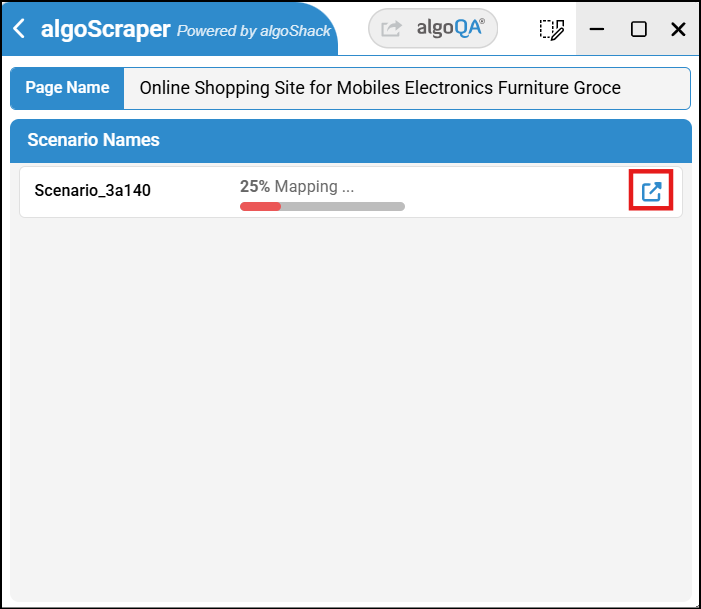
You can view the percentage of elements that have been mapped automatically.
By clicking the Step Info icon, you can also see the specific steps that have been mapped.
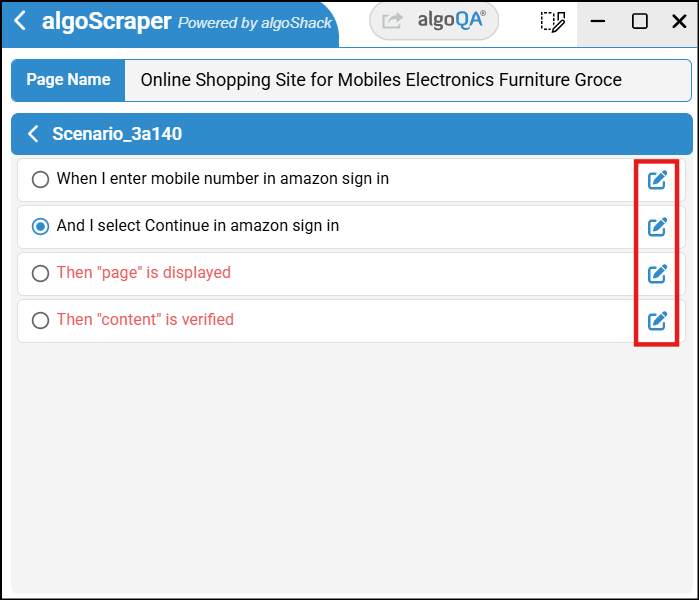
Manually map the remaining ones.
To edit step details, select the step and click Step Details next to the corresponding GWT step.
From there, you can modify fields such as Control Type, Control Name, Control Action, Control Value, Feature Name, XPath, and Page Name.
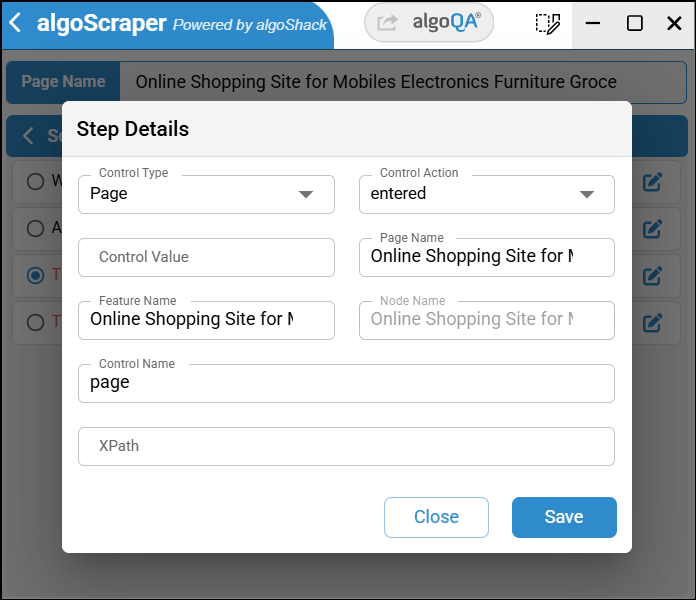
Click Save after making the changes.
Click algoQA to navigate back to the Create Project page with the scraped file attached.
Enter the project name and click Create.
The scenarios will be created.
Next, generate the test cases and then generate the scripts. To learn more about how to generate test cases, click here.
If you are re-scraping, you can upload the file using the Upload Scraped Data option. To access this feature, navigate to the canvas and click the More dropdown.